1. Concepts removed from study paths & Tier Tests
The updates include removal of Systems of Equations unit completely. A detailed look at the concepts included and changes can be found in this file.
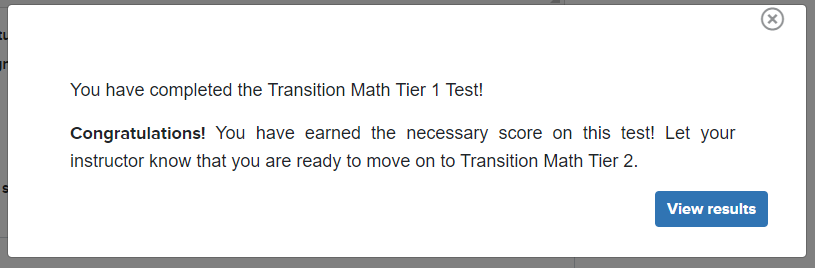
2. Tier Test mastery score lowered to 80%
In EdReady this means that the messaging students see at the conclusion of a Tier Test will be different for those over 80 instead of 85:
3. Study path Mastery score increased to 100
All students will work towards a Target Score of 100 instead of 90. This is in effect for the main study path & the first Test for each Tier. (The Target Score for Test 2 remains at 0 to prevent the creation of a study path.)
4. New ability to Hold questions in diagnostic
This option has been enabled for all study paths & Tier Tests. This will allow students to indicate questions they want to hold until the end of the test: students then will have a second chance to answer any held questions before completing the diagnostic test.
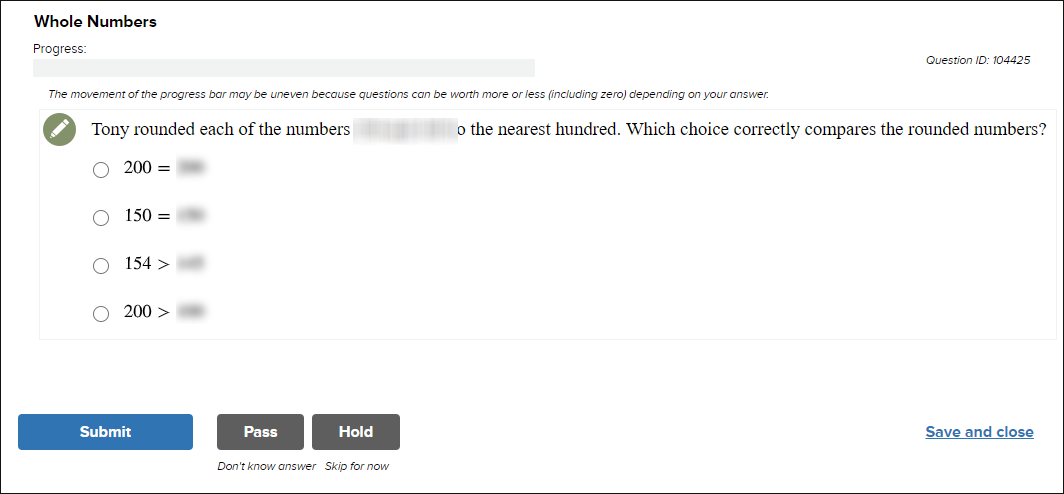
This button also has a 'Skip for now' label underneath, helping students to understand its' purpose.
When the student has been tested on all learning objectives, they will see their held questions before completing the test:
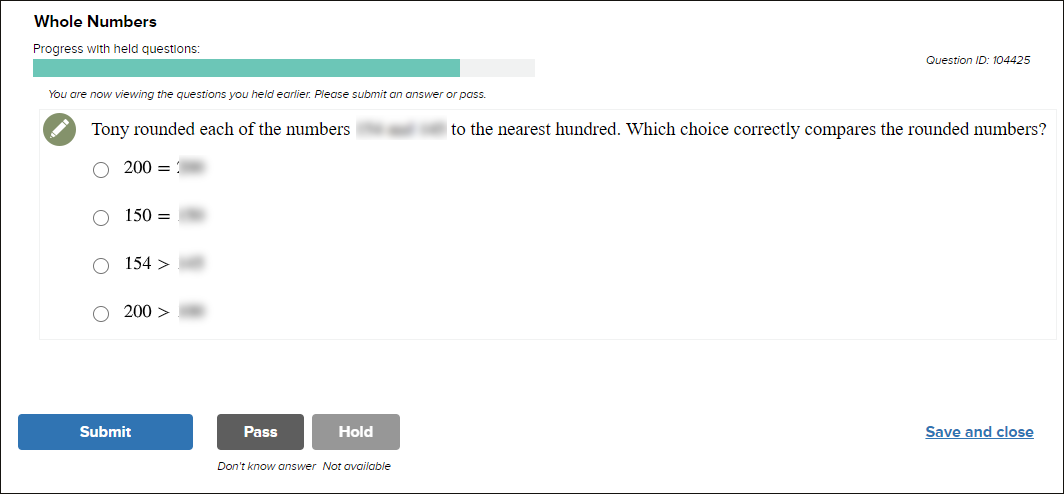
The header labels will update, progress bar will change color & the "Hold" button will be disabled.
5. "Skip" button relabeled to "Pass"
This button also includes a 'Don't know answer' label underneath, helping students to understand its' purpose. This change is reflected throughout all EdReady test activities: diagnostic, Unit Test, and Topic Test.
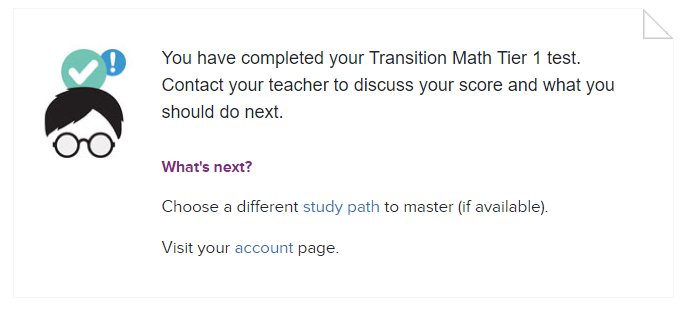
6. Improved “Congratulations” messages
When the target score is 0 (second attempt Tier Tests), students will no longer see a “Congrats” heading displayed on-screen or in the resulting email.
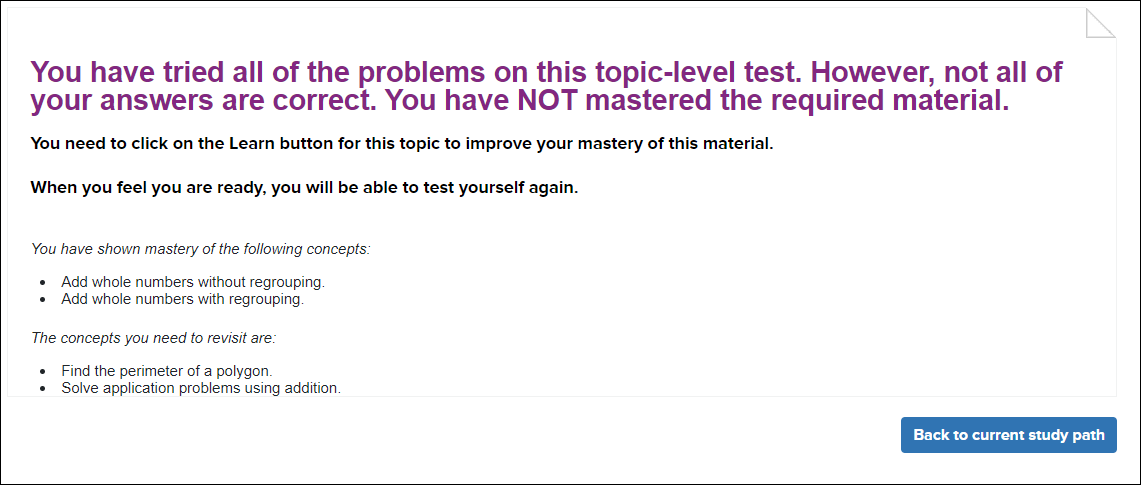
7. Improved Topic Test messaging
The specific learning objectives that were/not mastered on a topic test will be displayed on-screen (some colleges have already implemented this change for summer)
8. Unit Test updates: Only ask Complex/ High-Level Questions
Understanding EdReady Testing
Traditionally, EdReady has presented students in a high-low format on both Topic Tests and Unit Tests to test their understanding of the included learning objectives. What this means is that EdReady will first show students a high-level, complex question (whenever possible) that covers multiple learning objectives (LOs):
- If the student gets the question correct, they are given credit for knowing all covered learning objectives
- If the complex question is incorrect, EdReady follows-up with a low-level question that covers a single LO, one for every concept that was on the original high-level question
- The high-level question is not accounted for in the student's overall EdReady score, LO-level mastery, or the Status for the tested Unit and Topic(s)
This works well to understand the specific concepts students understand, but has proved complicated for the schools that are choosing to require unit tests and are grading those test activities.
Updated Functionality
There is a new option available for Unit Tests that will have EdReady present students with high-level questions without follow-up. Even if the question is incorrect, EdReady will not show the students follow-up single-LO questions. This means that the resulting status on the Unit Test and any 'score' (% of learning objectives mastered) on this test will be more straightforward for colleges and students to understand.
This also will allow the Unit Test to more closely mimic the Tier Test, which only tests students a single time for each learning objective.
The Changes
The Unit Test-level setting will be enabled for all Tier study paths in the new master goal, starting Fall 2020. This is the default setup, but colleges can opt to disable this setting in their goals.
9. Post-Unit Test Messaging
The message displayed at the conclusion of a unit test will display the student’s score (percent of learning objectives mastered):
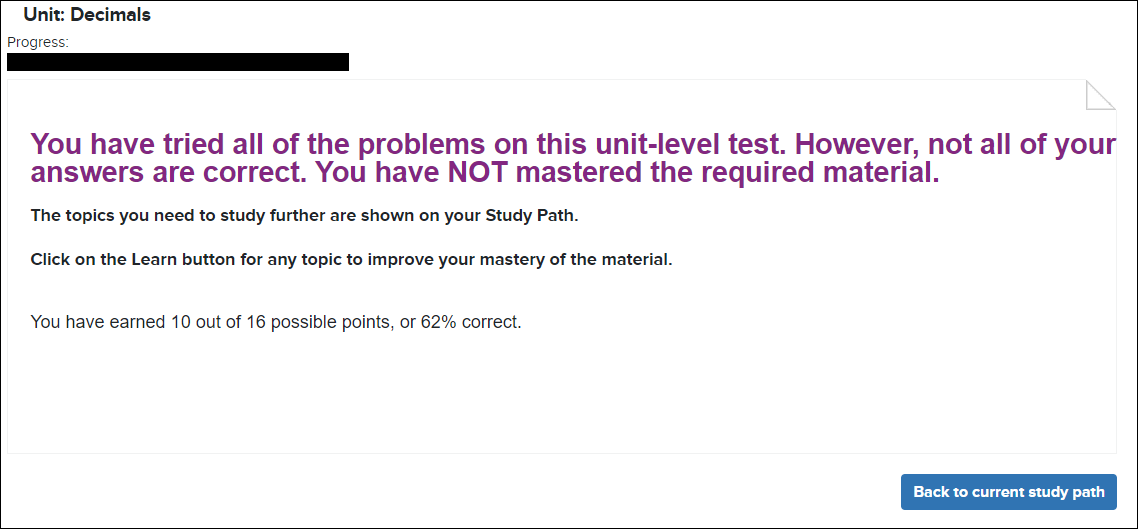
This is a setting that will enabled in the new master goal by default, but colleges can opt to disable this information.
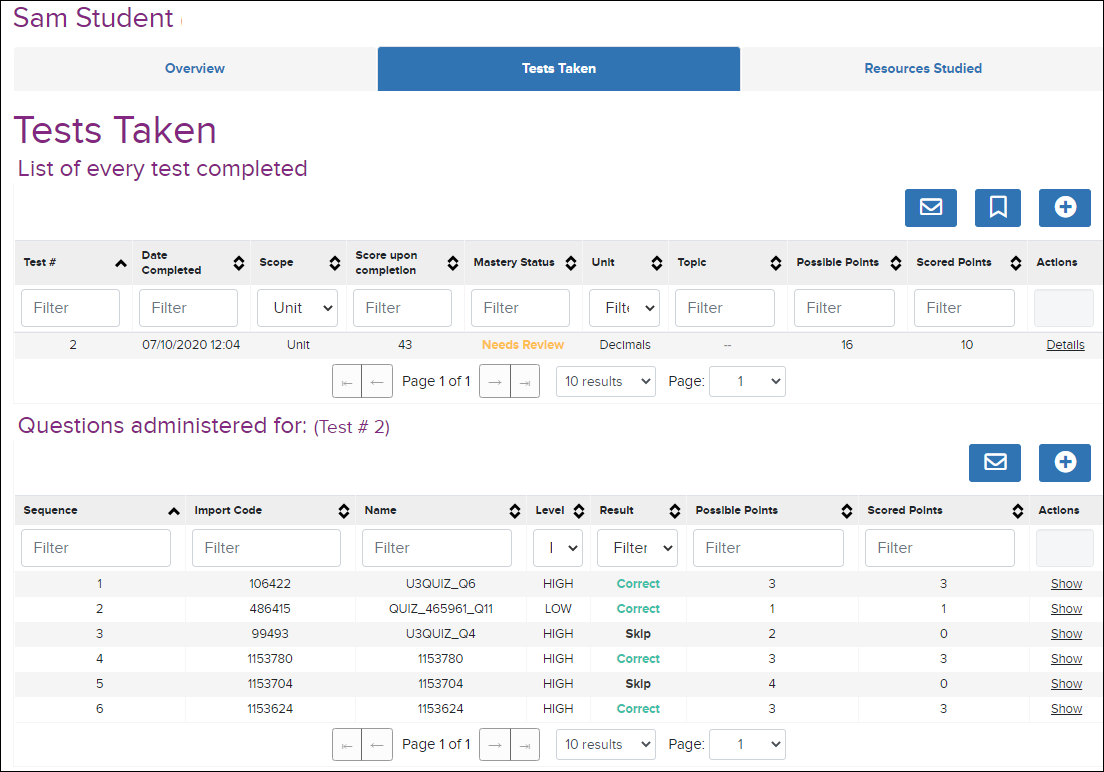
The score students see on-screen will be reflected directly in the details available in the student's Tests Taken details: